Challenges and Results
Challenges
- Usability problems in a registration web system developed by another vendor meant that clerical staff routinely entered data by hand
- The existing Excel format supported only 32 of 288 business branch patterns, so most cases required manual entry of up to 62 fields
- Incomplete entries and copy-and-paste errors occurred frequently, and correcting them also took a great deal of time
Results
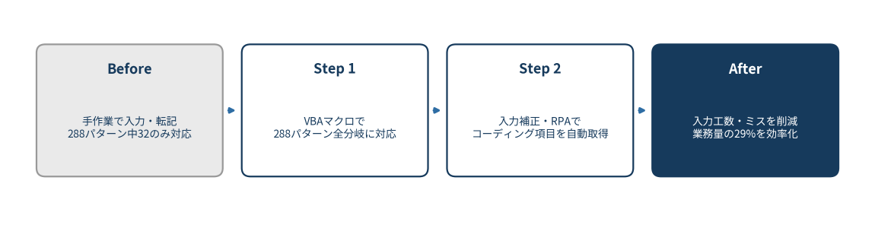
- VBA macros now support all 288 business branch patterns (the old format supported only 32)
- Streamlined merchant and terminal processing, which accounts for 29% of the workload in the client's department
Before
An input format that supported only 32 of 288 patterns
At the client, a credit card company, the corporate administration group was responsible for registering information in the system when merchants and terminals were newly contracted, or when contracts were changed or canceled. The registration web system used for this work had been developed by another vendor and had usability problems. As a result, clerical staff were in practice doing the registration by hand.
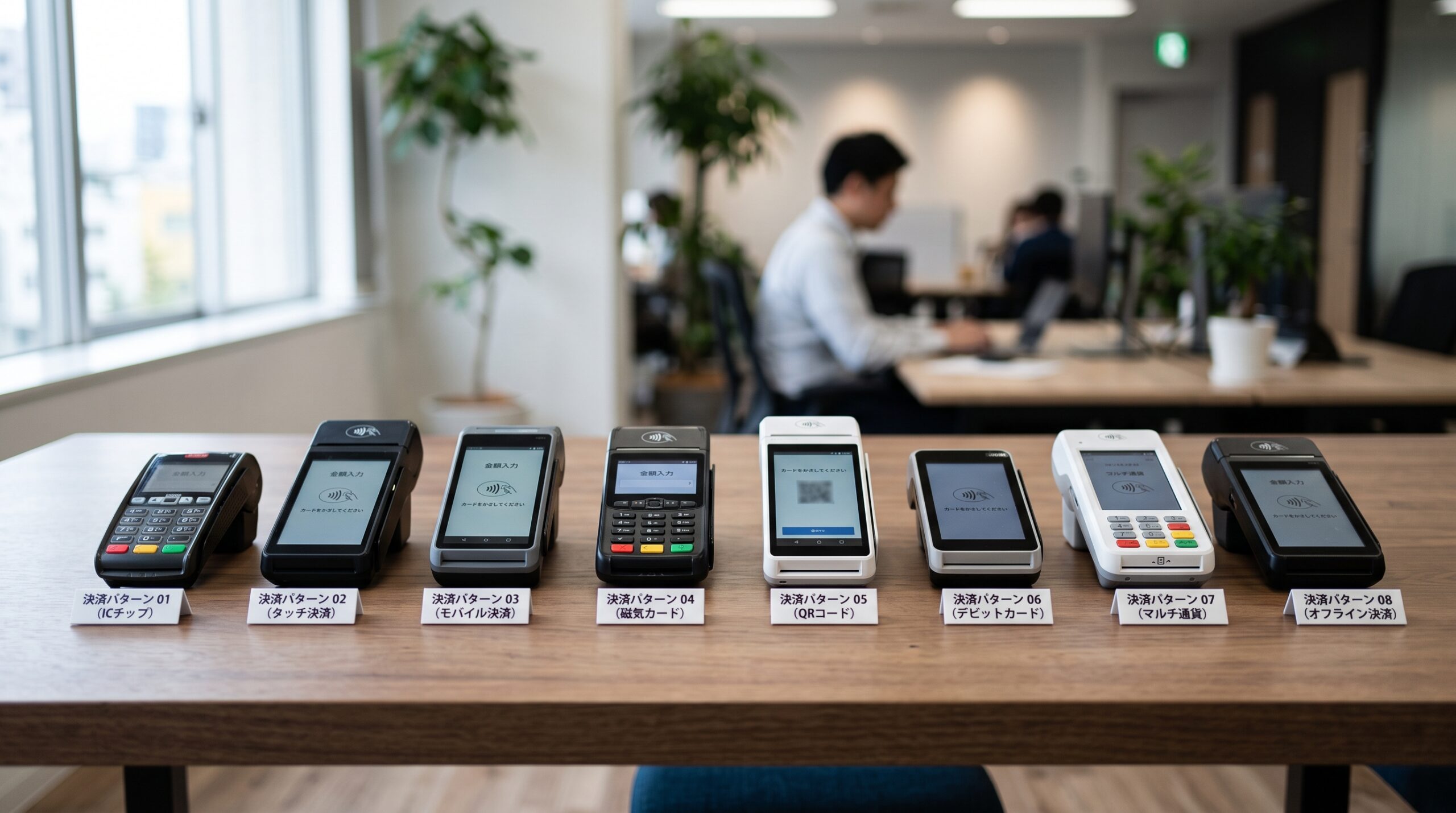
The Excel format used for manual entry had also been developed by another vendor and was inconvenient to use. Of the 288 input branch patterns arising from differences such as the submission destination (the merchant web system or the terminal web system), it supported only 32. For most of the remaining patterns, staff had to enter up to 62 fields by hand, and human errors caused by incomplete entries and copy-and-paste mistakes occurred frequently. Correcting these errors also continued to take a great deal of time.
During busy periods, applications piled up, and clerical staff had to judge the applicable pattern visually each time while feeling their way through the required fields on the Excel sheet. Whenever an error occurred, the application was sent back and resubmitted, and the time spent on confirmations with the staff in charge on both the merchant side and the terminal side kept adding up.
Redesign
VBA macros covering every pattern, plus RPA to automate input support
ITSO used VBA (Excel) to develop a new macro file that supports all 288 business branch patterns. In addition to automatically generating output in the formats required for the merchant web system and the terminal web system from a unified format, the macro checks and corrects the input information. ITSO also developed RPA with WinActor that automatically retrieves coding items (customer information) from the existing system and transcribes them into Excel.
A unified format with check and correction functions
ITSO began by designing a unified input format that absorbs the differences in the two submission formats for the merchant web system and the terminal web system. Staff only need to enter the required information in this unified format. The VBA macro then follows the branching logic for all 288 patterns to automatically convert and output it in the correct format for each destination. ITSO also built in a function that automatically checks the consistency of input values and suggests corrections on the spot when something is wrong. Input errors that used to be discovered only after submission can now be prevented at the input stage.
Automatic retrieval of coding items with RPA
Registering merchants and terminals also requires transcribing coding items (customer information) held in the existing system. For this transcription work, ITSO separately developed RPA with WinActor that automatically retrieves the relevant information from the existing system and transcribes it into Excel. This eliminates the work of staff gathering information while switching back and forth across multiple system screens.
Step-by-step refinement through prototyping
To rework the input interface, ITSO adopted a prototyping approach. ITSO first developed a prototype, then finalized the detailed interface specifications through repeated meetings with the client, refining the design step by step. Because these are screens the people doing the input use every day, small details of usability have a large effect on efficiency. Rather than fixing specifications through requirements definition on paper alone, ITSO emphasized a process of trying things hands-on to identify improvements.
After
From 32 supported patterns to all 288
As a result of this project, the newly developed macro now supports all of the business branch patterns, where previously only 32 of the 288 were supported.
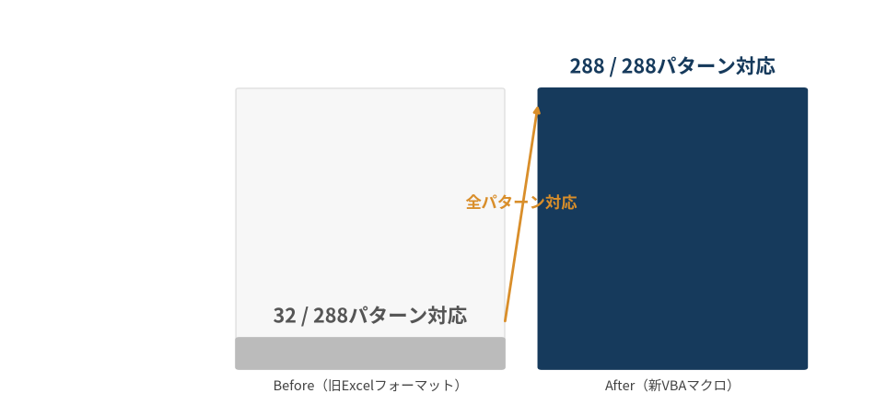
This merchant and terminal processing work accounts for 29% of the total workload of the corporate administration group, the client’s department, making it the group’s largest single area of work. Streamlining most of it has directly improved the productivity of the department as a whole.
The reduced workload means more than shorter processing times. It has also had a secondary benefit: staff can now spend their time on the verification work they should be focusing on and on communication with merchants and terminal locations.
The unified format and automated RPA transcription built for this project may also be applicable beyond merchant and terminal registration, to other application processes with similarly complex input branching.
Thank you for capturing every last request from our end users right up to the deadline. I feel that this kind of flexibility, right up until just before the deadline, comes from the prototyping approach.
— Client representative
If your organization cannot keep up with complex input branching in an existing system, or is struggling with manual errors and the time needed to fix them, we hope this case offers useful insights.